Packaging purchase orders are the document that converts a launch brief into a supplier's working instructions. A poorly written PO creates delays, wrong SKUs, and mismatched components. A precise one gets your product to the filling line on time. This guide walks through every field a procurement buyer at a licensed cannabis brand or dispensary needs to nail before sending that order.
Why Order Clarity Matters More Than Speed
Rushing a PO is a common mistake. Buyers often pull a quantity from a launch deck, attach last season's artwork file, and hit send. The supplier then has to chase down missing details. Every back-and-forth email adds days. Getting the document right the first time removes that friction entirely.
A complete packaging purchase order removes ambiguity on both sides. The supplier knows exactly what to produce or pull from stock. The buyer has a paper trail that supports receiving, accounts payable, and any future claim or dispute.
Start With the Launch Brief, Not a Blank Form
Your launch brief is the source of truth. It should tell you the product name, format, intended SKU count, and target ship date. Before you open a PO template, confirm those details are final and signed off by both the brand and compliance teams.
Treat the launch brief as a checklist seed. Every field in the brief maps to at least one field in the packaging purchase order. If a brief field is blank or still marked "TBD," resolve it before ordering. An unanswered detail in the brief becomes an error in the order.
Building the SKU Line: Container, Closure, and Count
Each line item on a packaging purchase order must identify three things precisely: the container SKU, the matching closure SKU, and the quantity expressed in the correct unit.
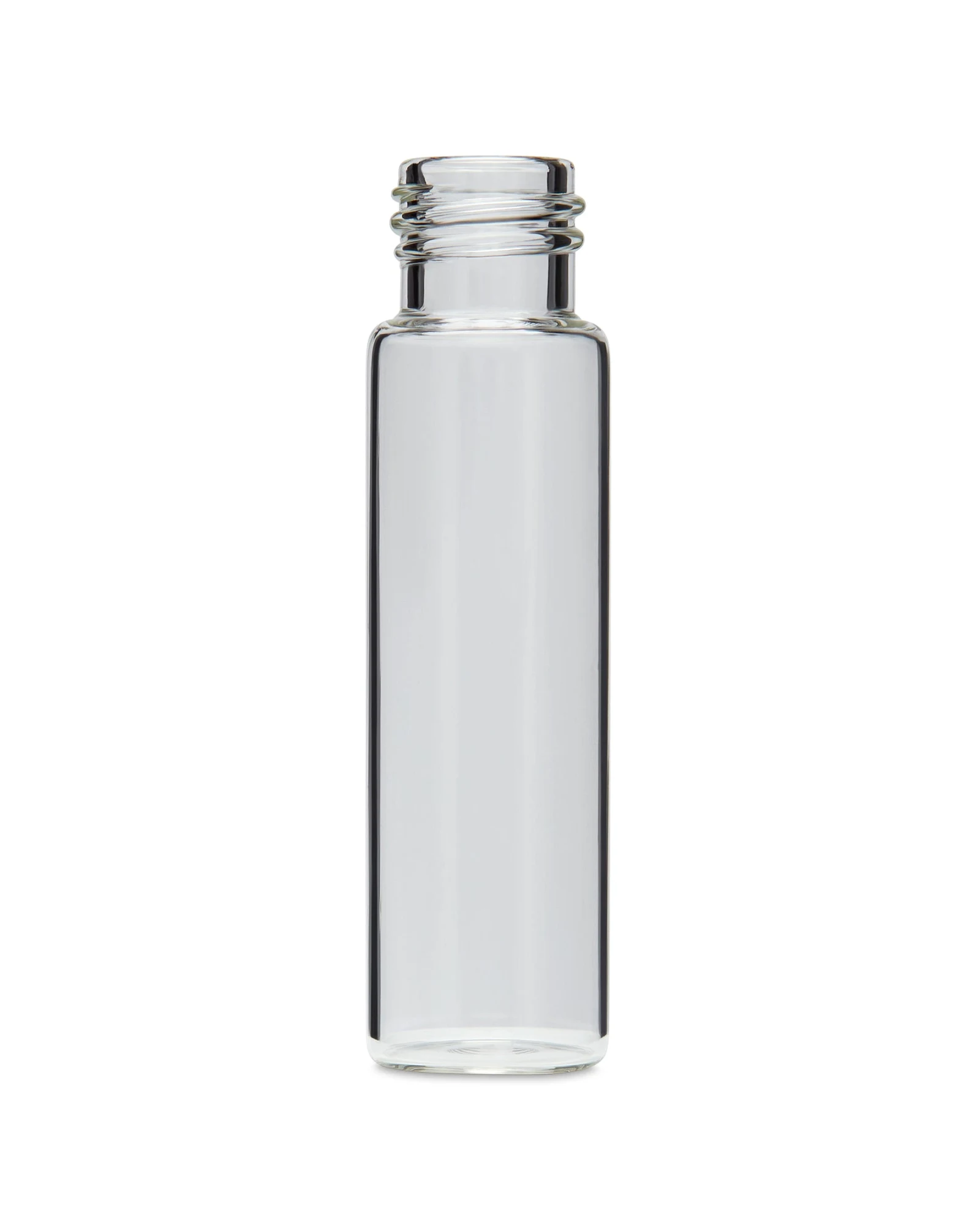
Start with the container. Use the exact catalog SKU, not a colloquial name. "Small clear glass jar" means nothing to a supplier's warehouse team. A product description such as a 5 ml clear glass straight-base concentrate container helps, but it is not an exact SKU. Copy the actual supplier item code from the selected listing or confirmed quote. You can browse specific container formats directly in the Render Packaging product catalog to confirm the right item code before you write the PO line.
Match the closure to the container in the same line or a linked line. A cap that fits a 38 mm neck does not fit a 33 mm neck. If the cap is child-resistant, confirm the size pairing with your supplier before ordering. Note that a fit check confirms dimensional compatibility only. Regulatory compliance for child-resistant packaging is a separate determination handled by your compliance team and qualified third-party testing.
Express quantity in two units: individual units and case packs. For example, a hypothetical order might read "2,400 units / 100 per case / 24 cases." Both numbers must agree. A mismatch between unit count and case count is one of the most common receiving errors in packaging operations.
Artwork Version Control Is Non-Negotiable
Submitting outdated artwork is a costly mistake. A previous label version may carry a panel that compliance has since revised. Once a print run begins, you typically cannot stop it without absorbing the cost.
Your PO should include an artwork version field. Write the file name exactly as it appears in your asset management system, including the version number or date suffix, for example "BrandX-Lavender-500mg-v4-APPROVED.pdf." Never write "latest version" or "see email." Both phrases invite the wrong file to be used.
Confirm with your compliance reviewer that the approved artwork version reflects all current regulated label copy before it goes on the packaging purchase order. This is especially important for any mandatory cannabis-specific panels, which vary by jurisdiction.
If your packaging requires custom print work, Render's custom packaging options are worth reviewing before you finalize the artwork spec on your PO.
Packaging Purchase Orders: The Line-by-Line Checklist
Use this checklist for every line on a packaging purchase order before submission.
- Container SKU: Exact catalog code, no shorthand descriptions
- Container description: Size, material, color, finish (for human verification)
- Closure SKU: Exact catalog code matched to container neck size
- Closure type: Confirm whether it is standard or child-resistant, and which version
- Unit quantity: Total individual units ordered
- Case quantity: Units per case and total case count, both must agree with unit quantity
- Artwork file name: Exact version-stamped file name, marked as approved
- Artwork format: Confirm the supplier's required format (PDF, AI, EPS) and color mode (CMYK)
- Label dimensions: Width, height, and any bleed or safe-zone specs required by the printer
- Required ship date: The date packaging must leave the supplier's facility
- Required delivery date: The date packaging must arrive at your fulfillment location
- Delivery address: Full address including any dock or suite number, plus a receiving contact name and phone number
- PO number: Your internal PO number for accounts payable matching
- Authorized signatory: The name and role of the person approving this order
Print or export this checklist and attach it to your PO file. When receiving reviews the delivery, they use the same list to verify the shipment.
Timeline Fields: Confirmed Dates Versus Wishful Estimates
A packaging purchase order is only as useful as its dates. Required ship date and required delivery date are two different things. Conflating them causes late-to-fill-line situations.
Required ship date is when the order leaves the supplier. Required delivery date is when it arrives at your warehouse or fulfillment partner. The gap between them depends on carrier transit time, not the supplier's schedule. Build that buffer into your PO from the start.
If your launch date is fixed, work backward. Confirm with your fulfillment team how many days they need for receiving and inspection before the packaging can move to the filling line. Add carrier transit time. Add the supplier's production or fulfillment window. That math gives you the required ship date. Lock it in the PO, not in a separate email chain.
Never write "ASAP" in a date field. It communicates urgency but gives no actionable instruction. A specific date does both.
Check Packaging Purchase Orders Against the Supplier Confirmation
A clear purchase order still needs a clear confirmation. Compare the exact part codes, colors, case counts and label versions line by line. Check whether any requested item was replaced or placed on a later shipment. Do not treat a similar description as approval for a different part.
If a date is an estimate, mark it as one in your launch sheet. Ask who will confirm readiness and what information the receiving team needs. Keep the confirmed selling unit beside the order quantity so cases and individual pieces cannot be confused.
Record any change against the same PO and version. Avoid sending a second full order just to correct one line, since that can look like a duplicate buy. Use a clear change record and ask the supplier to acknowledge the revision. Keep both the original and the accepted change for the receiving check.
A Hypothetical Worked Example
The following is a hypothetical example with illustrative numbers only. It is not drawn from any actual Render order or customer.
A brand is launching a new concentrate line in two SKUs: a 5 ml and a 10 ml clear glass jar. The procurement buyer has a confirmed launch brief and an approved label file for each SKU.
For a fictional small concentrate-container SKU, the sample PO line reads: 1,200 units, 50 per case, 24 cases. These invented case counts do not describe a stocked Render item. The buyer records the exact matching closure as a separate linked line, with its own confirmed selling unit and count. The artwork file is named "ConcentrateLine-5ml-NaturalGlass-v3-APPROVED.pdf," using the color format requested by the printer and the copy approved by the responsible reviewer.
For the 10 ml SKU, the buyer runs the same format: exact SKU, matching closure SKU, unit and case quantities that cross-check to the same total, version-stamped artwork file name.
The buyer records a required delivery date and asks the supplier to confirm the production and transit estimates. The launch plan leaves time for receiving checks and a stated contingency. These are planning assumptions, not supplier promises. The delivery address includes the receiving contact’s direct line.
The buyer sends the PO with both artwork files attached and a completed checklist PDF. The buyer asks for an order confirmation and compares it with the PO. Clear details reduce avoidable questions, but the team still checks the supplier’s response before treating the order as settled.
What to Do if a Shipment Arrives Damaged
Even a clean PO cannot guarantee a perfect delivery. Carriers and handling equipment introduce risk at every transfer point. When damage occurs, your first job is documentation.
Photograph the outer carton, the inner packing material, and the damaged units before moving anything. Note the damage on the carrier's delivery receipt before the driver leaves. Keep the original packaging materials intact. Carriers generally require the original packaging to be available while a damage claim is being processed. FedEx, for example, states this requirement in its claims guidance. Follow your actual carrier's rules, and never discard packaging until the claim is fully resolved.
Notify your supplier promptly. Your PO number and the delivery address contact you listed on the order make this conversation faster. The supplier can use your PO as a reference to confirm what was sent and how it was packed.
Separating Packaging Purchase Orders From Related Documents
A packaging purchase order is not a bill of materials. A BOM lists every component in a finished product and is used by production planning. A PO is a commercial document that instructs a supplier to fulfill a specific quantity of specific items by a specific date.
A PO is also not a quote request, a sample request, or a supplier pitch document. Each of those is a separate workflow with its own format and purpose. Keeping them distinct prevents version confusion and audit trail problems.
When your accounts payable team matches invoices, they work from the PO number and the line-item detail you wrote. The cleaner the PO, the faster the three-way match between PO, packing list, and invoice. That speed matters at month-end.
Sending the Order and Following Up
Before you send, do one final review of the complete packaging purchase order document. Confirm every SKU, every quantity, every date, and the artwork file names. Have a second set of eyes run the checklist, especially for a launch order where no prior order exists as a template.
Send the PO through whatever channel your supplier uses as the official order intake. Email attachments work. Supplier portals work. Verbal orders do not. Get a written confirmation that the order has been received and accepted, with the confirmed ship date in the reply.
If you have questions about catalog items, available formats, or how to structure a multi-SKU order, the Render Packaging product catalog is a good place to start. For anything custom, the custom packaging page covers how to bring a specific brief to the table.
A precise packaging purchase order is the single best tool a procurement buyer has for protecting a launch timeline. Write it once, write it right, and the rest of the process runs on its own.